Last updated: August 25, 2026.
ASP stands for Active Server Pages. The original technology is now commonly called Classic ASP to distinguish it from ASP.NET. Classic ASP runs scripts on a web server and sends the resulting HTML to the visitor’s browser.
Classic ASP is a legacy technology, but it remains relevant when maintaining existing intranet sites, business applications, and older database-driven websites.
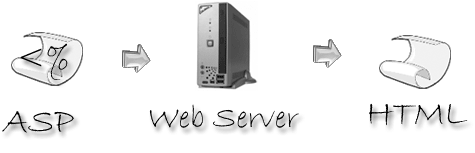
How Classic ASP works
An ASP file normally uses the .asp extension and contains HTML mixed with server-side script. Internet Information Services (IIS) executes the script from top to bottom. The script can read request values, work with sessions, access files or databases, and generate HTML. The browser receives the generated output, not the original server-side code.
A small Classic ASP example
This VBScript example reads a name from the query string, supplies a default, and writes values into the HTML response:
<%@ Language="VBScript" %>
<%
Dim greeting, visitorName
visitorName = Request.QueryString("name")
If visitorName = "" Then visitorName = "visitor"
greeting = "Hello, " & Server.HTMLEncode(visitorName) & "!"
%>
<!doctype html>
<html lang="en">
<head>
  <meta charset="utf-8">
  <title>Classic ASP example</title>
</head>
<body>
  <p><%= greeting %></p>
</body>
</html>
Code inside <% ... %> runs on the server. The <%= ... %> shorthand writes a value into the response. Server.HTMLEncode is important here because the name came from a request and must not be inserted as raw HTML. The browser receives only the generated HTML.
Classic ASP is an optional IIS feature on supported Windows installations. The old Personal Web Server and third-party cross-platform ASP products mentioned in early tutorials are no longer the normal way to run it.
Which languages does Classic ASP use?
VBScript is the language used by most Classic ASP applications. IIS also supports Microsoft JScript, and the ASP architecture historically allowed other installed scripting engines. Existing applications should normally continue using the language in which they were written rather than mixing languages without a clear reason.
What can Classic ASP applications do?
Classic ASP can process forms, manage sessions, send responses, read and write files, and query databases through technologies such as ADO. It was widely used to build dynamic catalogs, administrative tools, reports, and internal business applications.
Classic ASP versus ASP.NET
Classic ASP and ASP.NET are different platforms. ASP.NET uses the .NET runtime and a different programming and deployment model. Renaming an .asp file to an ASP.NET extension does not convert the application.
Maintaining an existing Classic ASP site
- Run it on a maintained Windows and IIS installation.
- Use parameterized database commands instead of assembling SQL from request values.
- Validate input and encode output for its HTML, URL, JavaScript, or SQL context.
- Keep secrets outside publicly served files and avoid displaying detailed errors to visitors.
- Document dependencies before changing or replacing a working legacy application.
Reference
Microsoft documents current IIS configuration options for Classic ASP in ASP <asp> configuration.

One thought on “What Is Classic ASP? Active Server Pages Explained”